

Save 5–15 admin hours a week (without changing your whole setup)
Running an accounting firm is already demanding. You shouldn’t have to spend your best hours chasing documents, repeating the same email replies, and firefighting near deadlines.
I help small accounting firms automate repetitive admin work so your team can focus on client work that actually matters.
If this sounds familiar, we should talk
- “We keep chasing clients for missing documents.”
- “Our inbox is always full, and important stuff gets buried.”
- “Month-end gets chaotic every single time.”
- “Too much manual follow-up, not enough time.”
What I can automate for your firm
1) Missing-document reminders
Automatic, polite reminders with smart escalation when clients don’t respond.
2) Inbox triage + faster replies
Prioritize what’s urgent, reduce noise, and speed up routine responses.
3) Monthly client check-ins
Proactive reminders before the usual deadline pressure hits.
4) Clear monthly improvement report
Simple reporting on what was automated and where time was saved.
Simple pricing
Starter — €1,500 setup + €390/month
- 1–2 workflows implemented
- Monthly optimization
- Basic reporting
- Email support
Pro — €1,500 setup + €790/month
- 3–4 workflows implemented
- Deadline reminder engine
- Team SOP/prompt playbooks
- Priority support
How it works
- Quick audit (15 min): identify your biggest admin bottleneck.
- Build (2–4 weeks): implement practical automation around your current tools.
- Optimize monthly: track impact and improve continuously.
FAQ
Will this replace staff?
No. It removes repetitive tasks so your team can focus on higher-value work.
Do we need to migrate systems?
Usually no. We start with your existing setup.
How fast can we see results?
Most firms notice clear improvements within 2–4 weeks.
Want to see what your firm can automate in 30 days?
Book a 15-minute workflow audit and I’ll map your best first automation.
Nerdic Coder
Practical AI automation for real-world service firms
See it in action (demo)
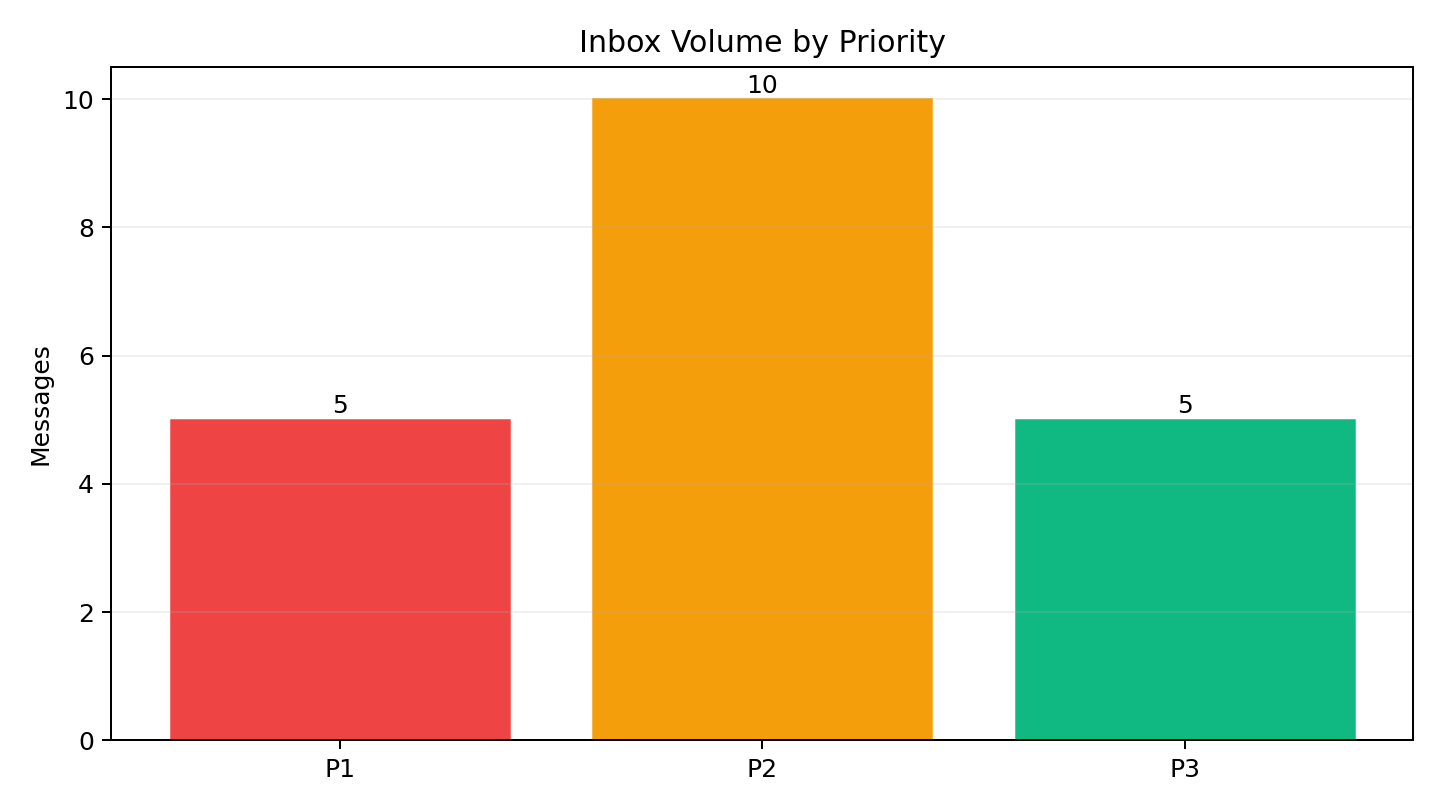
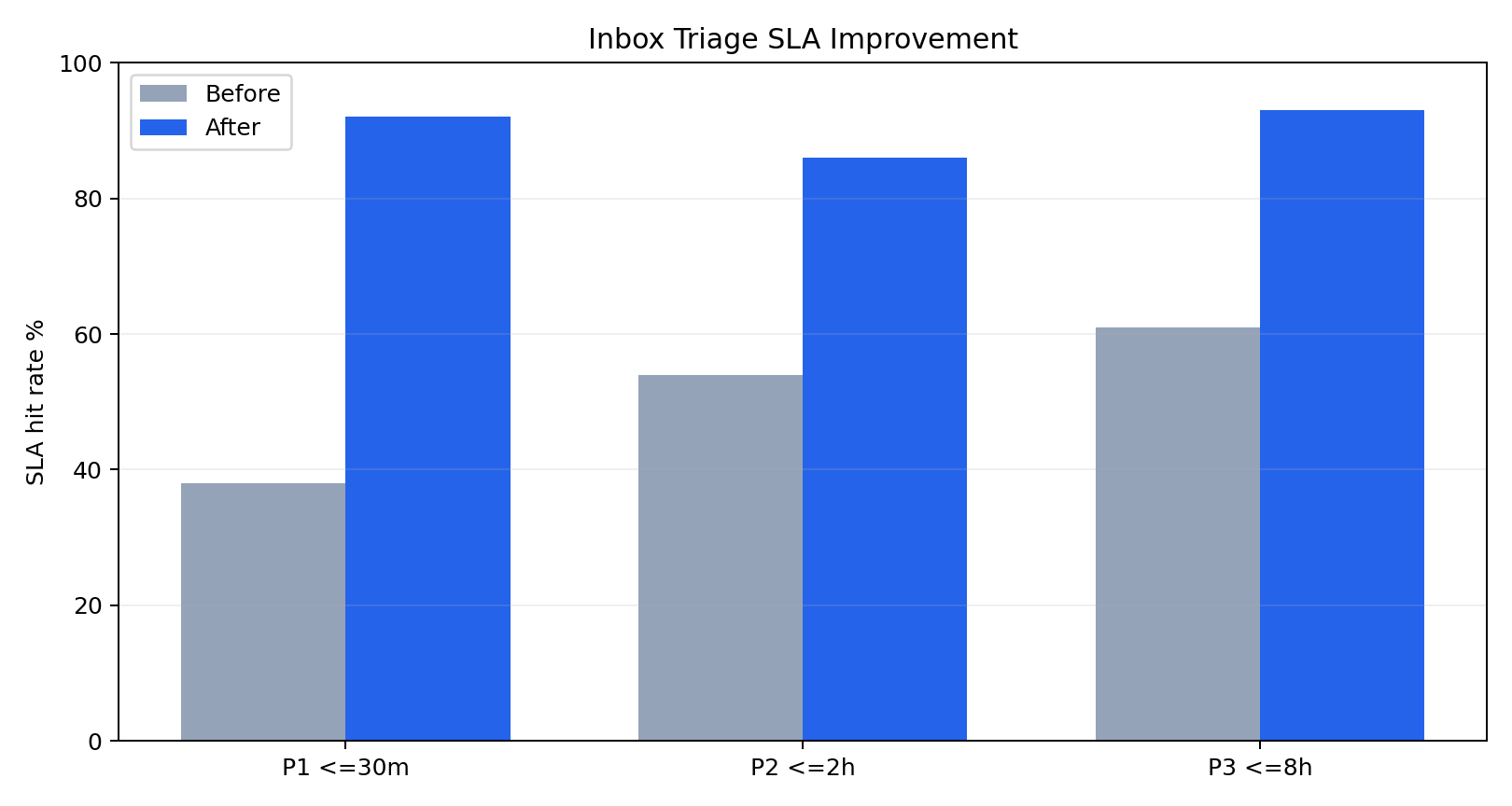
Below is a practical mock demo showing how inbox triage can prioritize urgent accounting messages, reduce response times, and cut manual workload.
1) Inbox volume by priority
2) SLA improvement (before vs after triage)
3) Response time reduction
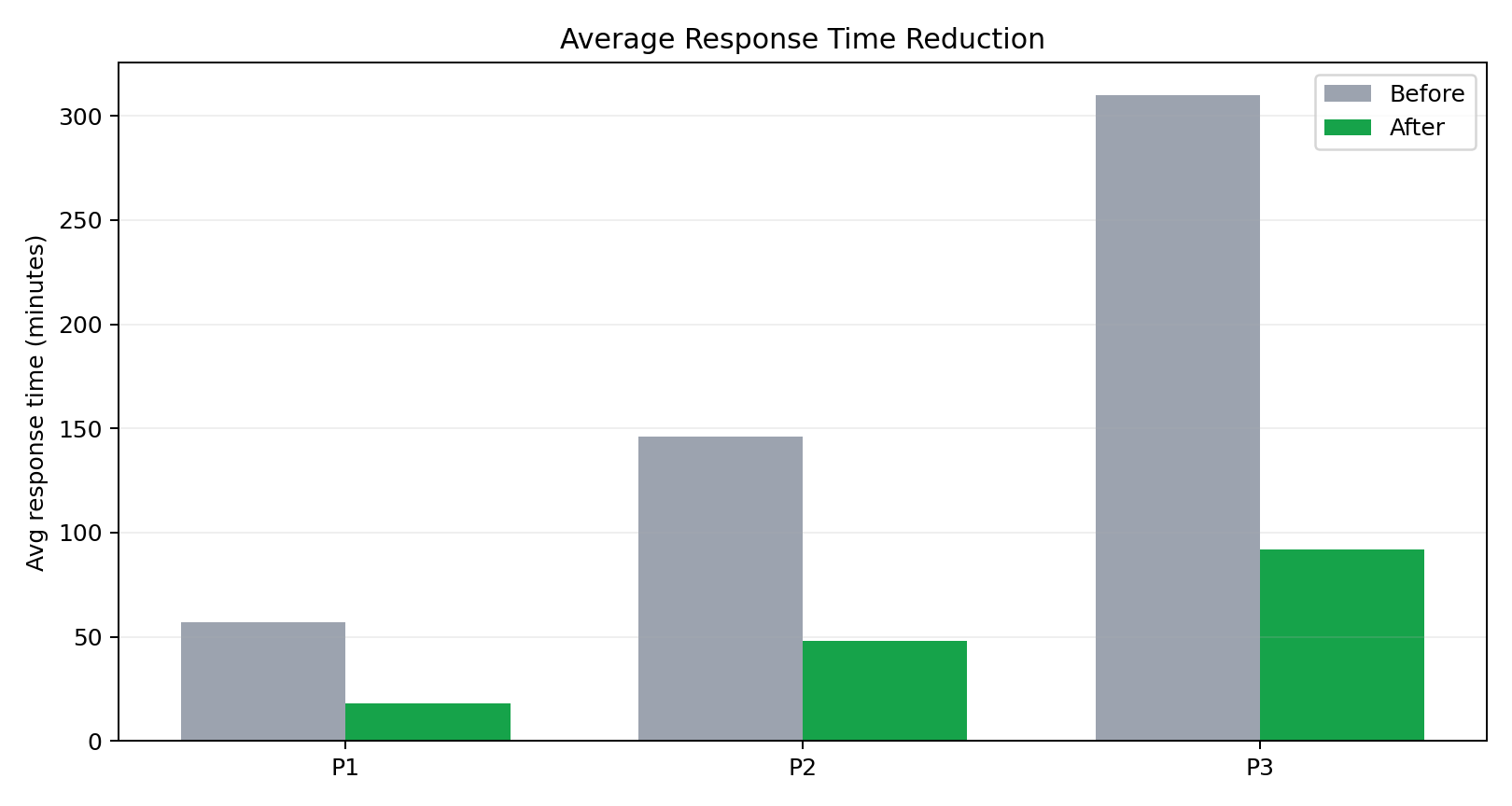
Demo KPI highlights: faster P1 handling, better SLA hit rates, and less senior time spent on routine inbox noise.
Watch 90-second demo
See the full workflow in under 90 seconds: incoming message → triage → reminder/escalation → KPI dashboard.
Replace the placeholder link above with your Loom/video URL when ready.
 The Nerdic Coder